
🧶 Yarn Calculator

Try

Visit our Etsy Shops

Pick a shop to browse. Each one opens on Etsy in a new tab.

Color & Design

Crochet Digital Planner: How to Plan and Track Projects

Crochet digital planner: what to record for each project, how to track works in progress and yarn, keep palette notes, plan gifts, paper or digital.

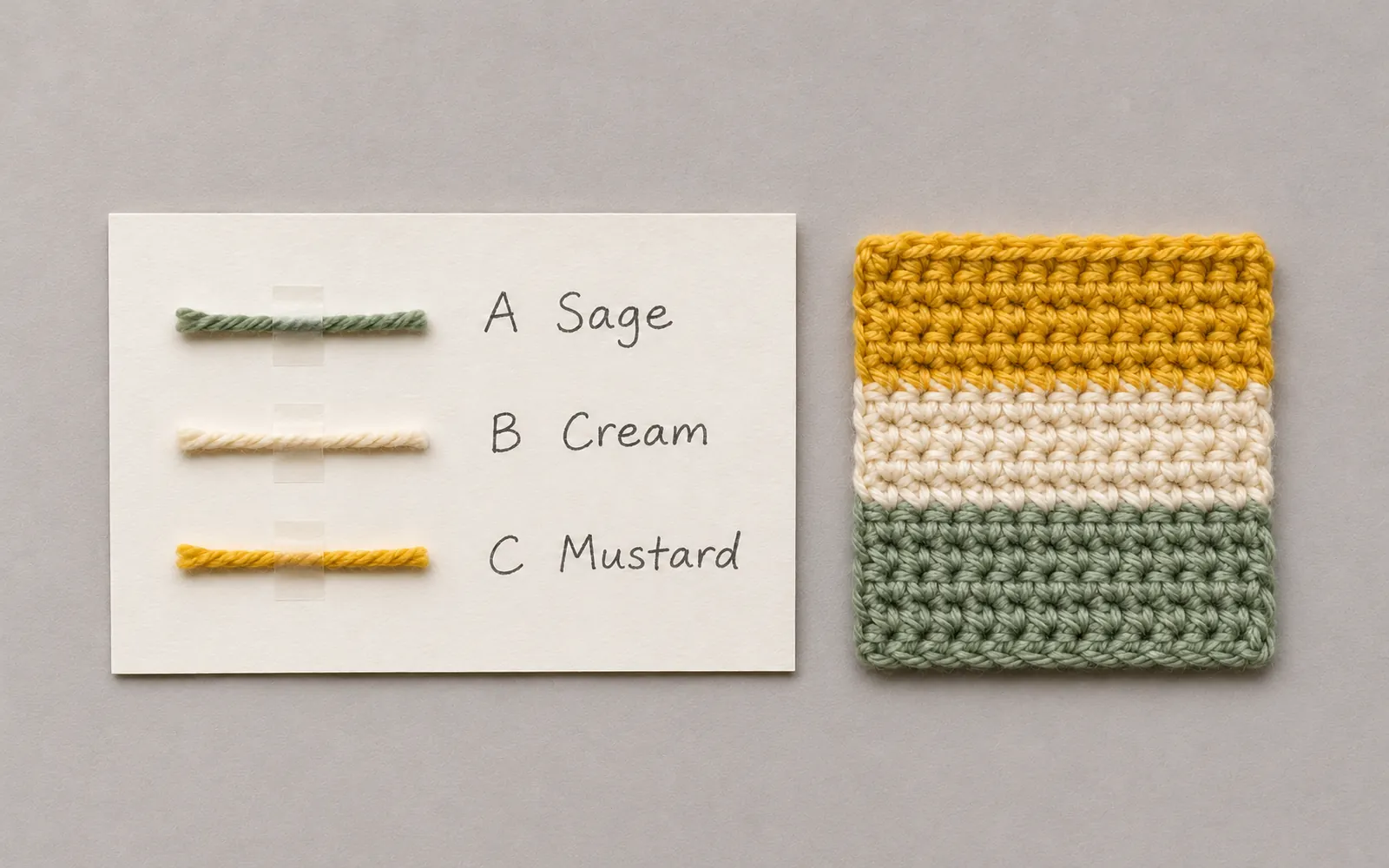
A palette card with yarn snips labeled sage, cream and mustard beside a striped crochet swatch
Table of Contents
  1. What to Put in a Crochet Digital Planner
  2. What to Record for Each Project
  3. Track Works in Progress
  4. Plan Palettes and Track Yarn
  5. Plan Gifts, Wishes and Goals
  6. Keep Your Planner Up to Date
  7. Key Takeaways
  8. Frequently Asked Questions

Quick answer: A crochet digital planner is a set of pages or sheets on a phone, tablet or computer where you record each project’s pattern, yarn, hook and gauge, track works in progress and yarn, keep palette notes and plan gifts. Start with a few sections and add more later.

You finish a blanket and cannot remember which hook size you used. Two half-finished projects sit in a bag, and a skein from last year has no label at all. Everything you needed was once in your head, and now it is in three places or none.

This guide to a crochet digital planner shows what to put in one: project records, works in progress, palette notes, yarn stash and gift plans. It also compares paper, digital and both formats, and gives a simple routine for keeping it up to date.

I write down the yarn, the hook and the gauge before I crochet the first row. It takes a minute, and it means I can pick the project up again later.

What to Put in a Crochet Digital Planner

A planner is only useful if it holds what you look for later, so decide the sections before you decide the app. The same sections work in a notebook, a spreadsheet or a document. Two parts follow: the sections, then paper, digital or both.

The Sections

A crochet planner can hold project records, works in progress, a finished log, yarn stash, palette notes, gift plans, a wish list and goals. A blank planner template lists projects as ongoing, on hold and finished, plus a wish list, designers, yarn supplies, a hook inventory, sizes, abbreviations, a pattern chart and notes. One page lists a project journal, a yarn inventory, a works-in-progress tracker, a finished log, gift planning and reflection pages, and another adds monthly and seasonal pages, goals and a monthly review. The diagram shows eight sections, and you can start with only the ones you will use.

Projects Works in progress Finished Yarn stash Palettes Gifts Wish list Goals
Eight sections a crochet planner can hold.

Paper, Digital or Both

A notebook suits handwriting, sketches and taped-in swatches, a digital planner is easier to search and holds photos, and many makers use both. One page says a notebook suits taping in swatches, yarn labels or photos, while a digital journal is easy to search and update and syncs across devices. It suggests main plans on paper, with the yarn inventory and pattern links kept digital. A planner seller lists a learning curve, no paper feel and harder tab flipping as digital drawbacks. Neither format wins for everyone, so pick the one you will actually open.

What to Record for Each Project

A few notes written at the right moment are worth more than long notes written late. Each note below takes a line or two, so the record stays quick to fill in. Two parts follow: before you start, then during and after.

Before You Start

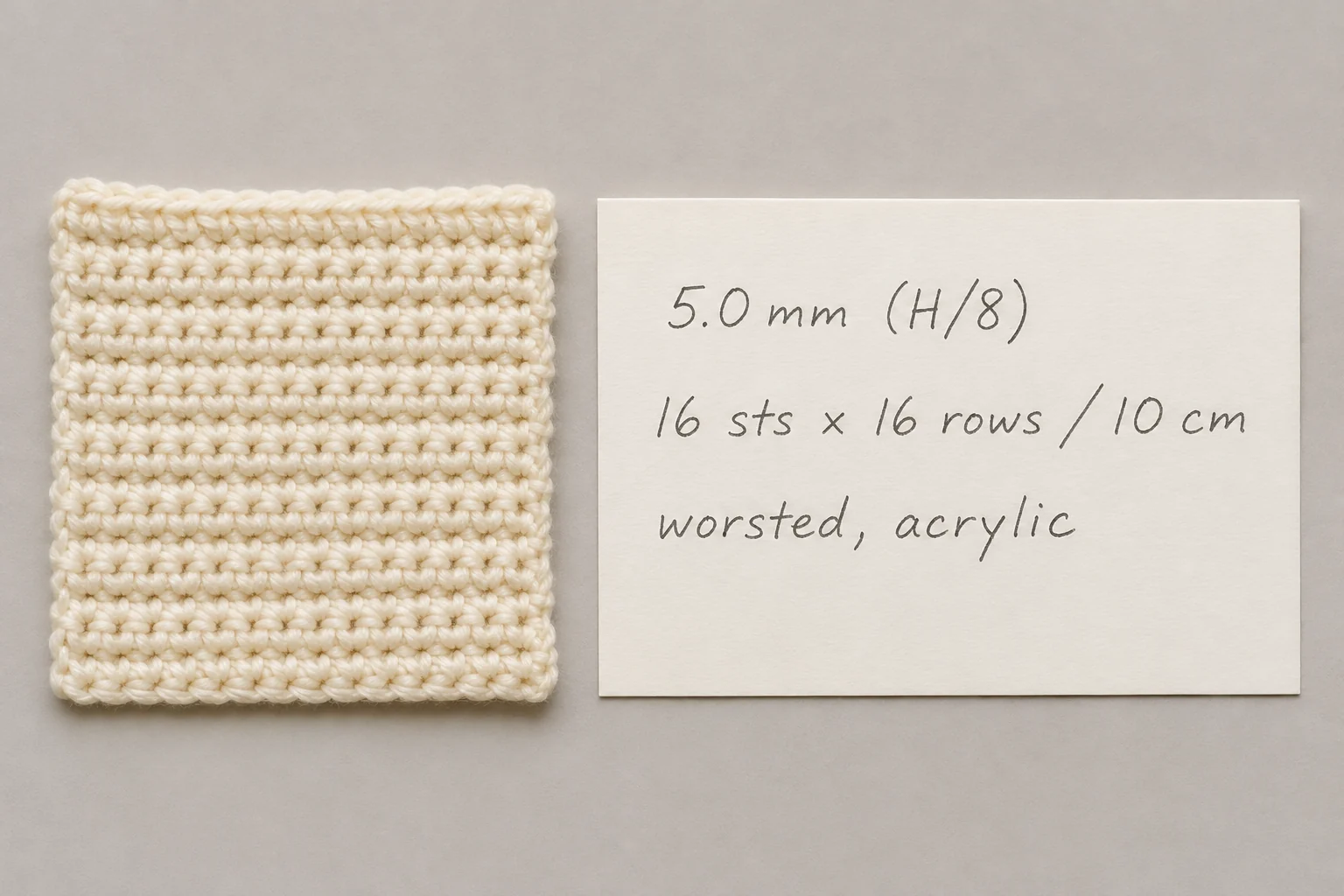
The start of a project is when details are easiest to capture, so note the pattern, the materials and a gauge swatch, and photograph them together. Two pages say to record the project name, the pattern name or link, the designer and who it is for. For the yarn, note the fiber, weight category, yardage, colorway, dye lot, number of skeins. One page records the hook’s size and material, since material can change gauge. For a garment, one page makes a swatch at least 6 by 6 inches, washes and dries it as the finished piece will be treated and records gauge before and after washing; see how to substitute yarn in crochet.

A cream crochet swatch beside a plain card with a handwritten hook size and gauge, the kind of note a crochet digital planner holds A swatch beside the hook and gauge it was made with.
During and After

During a project, record the rows between stitch markers and any changes, and afterward add washing, final size and a would-make-it-again note. One page says to use stitch markers and a row counter, which matters for matching pieces such as sleeves; see crochet tools for beginners. It also says to check gauge partway and to note any stitches added or removed. After the project, record washing and blocking details, any color bleeding, final measurements and how long each stage took. A blank planner template has fields for washing instructions, progress, would do it again and overall satisfaction.

Track Works in Progress

An unfinished project is easiest to restart when the planner says what is left and what to do first. Two parts follow: status and next step, then the finished log and the monthly review. A restart note takes a line or two and saves a search through the bag.

Status and Next Step

Sort projects into ongoing, on hold and finished, and for each unfinished one write what is left and the next small step. A blank planner template sorts projects the same way. One page’s tracker records what is unfinished, what is left, the next small action and a priority level. Another page lists several ways to keep track: a project journal, a project management app, a crochet planner, an online pattern site, or photos saved in a folder with notes. The diagram shows three columns, each with a card that says what is left and what comes next.

Ongoing Blanket Left: 6 of 20 squares Next: join row 3 On hold Cardigan Left: both sleeves Next: buy 1 more skein Finished Hat Left: nothing Next: weave in, gift
Three columns for works in progress, each card with a next step.

The Finished Log and the Monthly Review

A finished log holds a photo, the pattern link, who the project was for, what you would change and the yardage used, according to one page. The same page suggests a short monthly review: what you finished, what is in progress, what slowed you down, what you learned and what inspires the next month. A seasonal review shows longer trends. Keep the log beside the works in progress so a finished project moves across the page instead of disappearing, and the lessons are easy to find when you plan the next one.

Plan Palettes and Track Yarn

Yarn and color choices are the notes you will want most when you plan a similar project, so give them their own place. The crochet color theory guide covers the basics. Two parts follow: palette notes, then the yarn stash.

Palette Notes

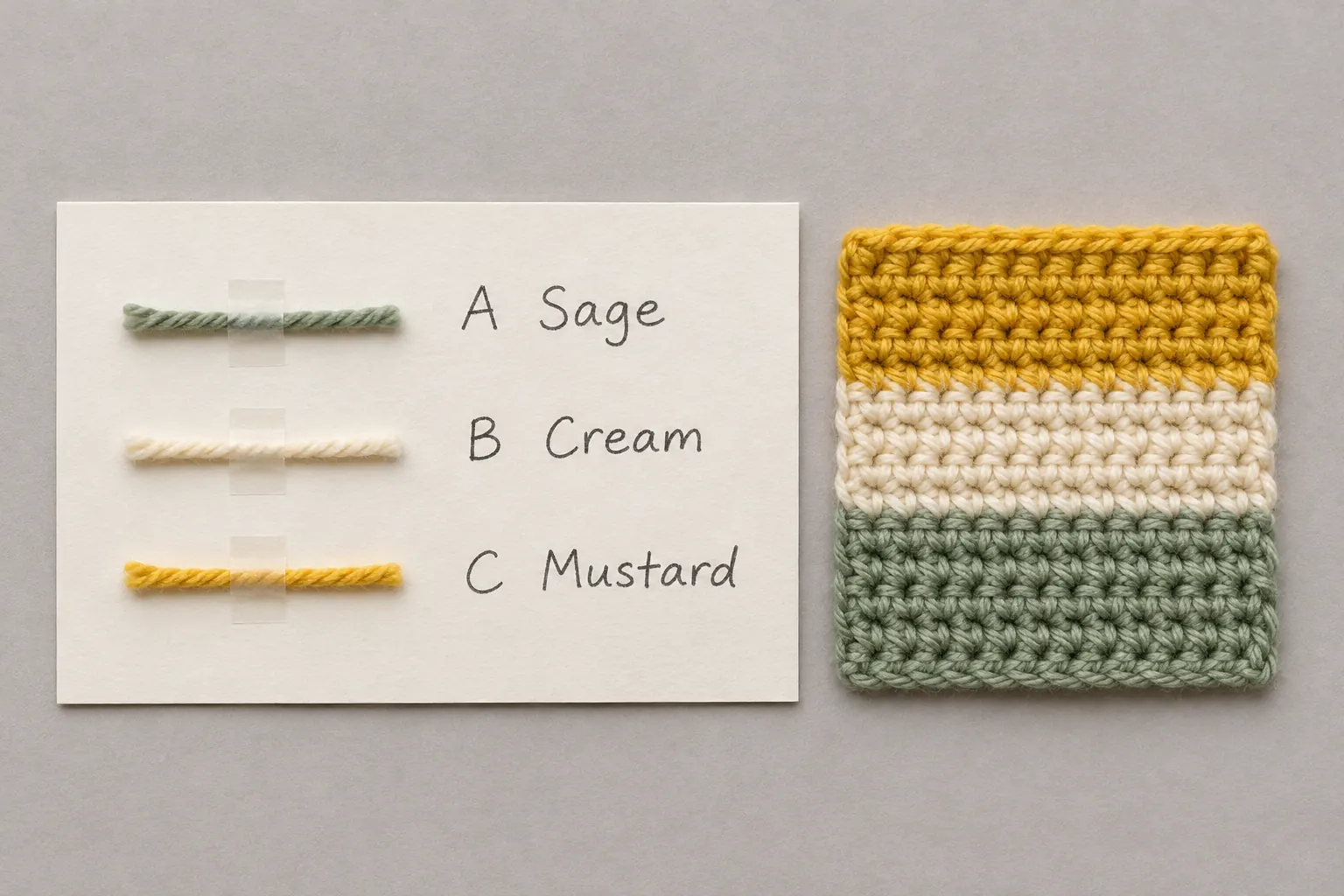
Give palettes their own page, listing the colors you chose, a short length of each yarn taped beside its name, a letter for each color and what you would change. One planner has no palette section, with color ideas in a journaling section and color plans in a blanket section. Many patterns name colors with letters, and how to design a crochet pattern covers naming them in a pattern you write. See how to choose yarn colors for choosing them. I keep a snip of every yarn color in my project notes.

A plain card with three taped yarn snips labeled by hand with a letter and a color name, beside a small three-stripe crochet swatch in the same colors Three yarn snips on a card, beside the swatch they made.
Yarn Stash Inventory

For each yarn, record the fiber, weight category, yardage, color name, quantity and dye lot, and add a photo if you can. One page logs the first five along with project ideas, and some guides say to record the dye lot because mismatched lots can show; see how to read a yarn label. Another page notes that a spreadsheet can lack photos and that recording new yarn is the hardest part, so new yarn waits until it is listed. It reviews the stash once a year, and stash-busting projects help use it up. A blank planner template also has a hook inventory.

Plan Gifts, Wishes and Goals

Gifts have dates you cannot move, so they need a place in the planner that you check often. Two parts follow: gift planning, then the wish list and goals. Both keep ideas out of the project pages, and each takes only a short list.

Gift Planning

For each crochet gift, record the date, the person, the idea and the status, and add the date to your calendar. One page says gift planning holds birthdays and holidays, ideas and each gift’s status. One planner has an annual gift list, monthly birthday and event overviews, a holiday gift list and a tracker for each gift. For a holiday schedule that works back from the date, see crochet holiday planning. Keep the gift page near the top of the planner, so the next date is the first thing you see.

Wish List and Goals

A wish list holds the pattern name, designer, link, hook size and yarn for projects you want to make later. A blank planner template has a wish list with fields for project name, designer, pattern link, hook size, yarn and cost. One page adds goals: new stitches to learn, scrap yarn goals and skill challenges. A wish list stops pattern ideas from cluttering the projects section. Copy the link when you save an idea, since a pattern is easy to lose and hard to find again. Browse crochet patterns for ones worth saving.

Keep Your Planner Up to Date

A planner helps only while it is current, so the routine matters more than the format. A paper page you update beats a digital sheet you forget. Two parts follow: update little and often, then start small and add more.

Update Little and Often

Update your planner after each session or once a week, and set a monthly reminder to refresh the yarn list and the works in progress. One page says to keep the notebook in the project bag and to schedule a weekly or monthly review. Another keeps photos in folders for works in progress, finished projects, stash and inspiration, sorted by year. Photos taken at the start and at milestones make later entries easier, and a short entry made while the yarn is still in your hands is more likely to be accurate.

Start Small, Then Add

Start a crochet planner with three sections, such as the project record, works in progress and the yarn list, and add more once the habit holds. One page says to start with a few sections and add more later, and to save templates so you can copy pages easily. Add palettes, gifts and goals when the first three feel routine. A short planner you keep current is better than a long one you abandon. Each added section should answer a question you really ask, such as which hook you used or what is left on the cardigan.

Key Takeaways

  • A crochet planner can hold project records, works in progress, a finished log, yarn stash, palette notes, gift plans and a wish list.
  • For each project, record the pattern, the dye lot, the hook size, your gauge and the yarn details, and take a photo of the materials.
  • Sort works in progress into ongoing, on hold and finished, and write what is left and the next small step.
  • For each yarn in the stash, record the fiber, weight category, yardage, color name, quantity and dye lot.
  • Update the planner after each session or weekly, and start with a few sections.

Frequently Asked Questions

What is a crochet digital planner?

A crochet digital planner is a set of pages or sheets on a phone, tablet or computer where you record each project’s pattern, yarn, hook and gauge, track works in progress and yarn, keep palette notes and plan gifts. You can build one in a spreadsheet, a notes app or a document. The What to Put in a Crochet Digital Planner section above has more.

What should I record for each crochet project?

Record the pattern name or link, the yarn with its fiber, weight category, colorway, dye lot and number of skeins, the hook size, your gauge, the start and finish dates, any changes you made and a photo. Afterward add washing and final measurements. Short notes written at the right time work best. The What to Record for Each Project section above has more.

Is a digital planner better than a paper one?

Neither is better for everyone. A notebook suits handwriting, sketching and taped-in swatches, and a digital planner is easier to search and update and holds photos. One page suggests keeping main plans on paper and tracking yarn and pattern links digitally. A planner seller lists a learning curve and harder tab flipping as digital drawbacks. The What to Put in a Crochet Digital Planner section above has more.

How do I track works in progress in crochet?

Sort projects into ongoing, on hold and finished. For each unfinished project, write what is left, the next small step and a priority, and add a photo and the pattern link so you can restart it later. Review the list weekly or monthly, and move cards between columns as projects change status. The Track Works in Progress section above has more.

How do I track my yarn stash?

List each yarn with its fiber, weight category, yardage, color name, quantity and dye lot, plus project ideas, and add a photo if you can. Record new yarn as soon as it arrives, and review the list once a year. See the yarn label guide for what to copy from a label. The Plan Palettes and Track Yarn section above has more.

Portrait of Linda Davidsen

Written by

Linda Davidsen

Designer & founder

Linda has been crocheting for over 15 years and designs cozy, beginner-friendly patterns that anyone can finish in a weekend.

Keep reading

All posts